ChatGPT vs Apiva for job applications: what it can and cannot do (2026)
We make Apiva. Read this knowing that.
Everything here about ChatGPT comes from OpenAI's own pricing page and help center, read in late September 2026, plus one reviewer's hands-on notes. We have not pushed a batch of real applications through ChatGPT ourselves, so anything below about what its browser does on a form comes from OpenAI's own description of it. The product also moves fast. The agent mode most guides still describe has been retired, which is a good reason to check the live page before you trust any post about it, this one included.
The 10-second version
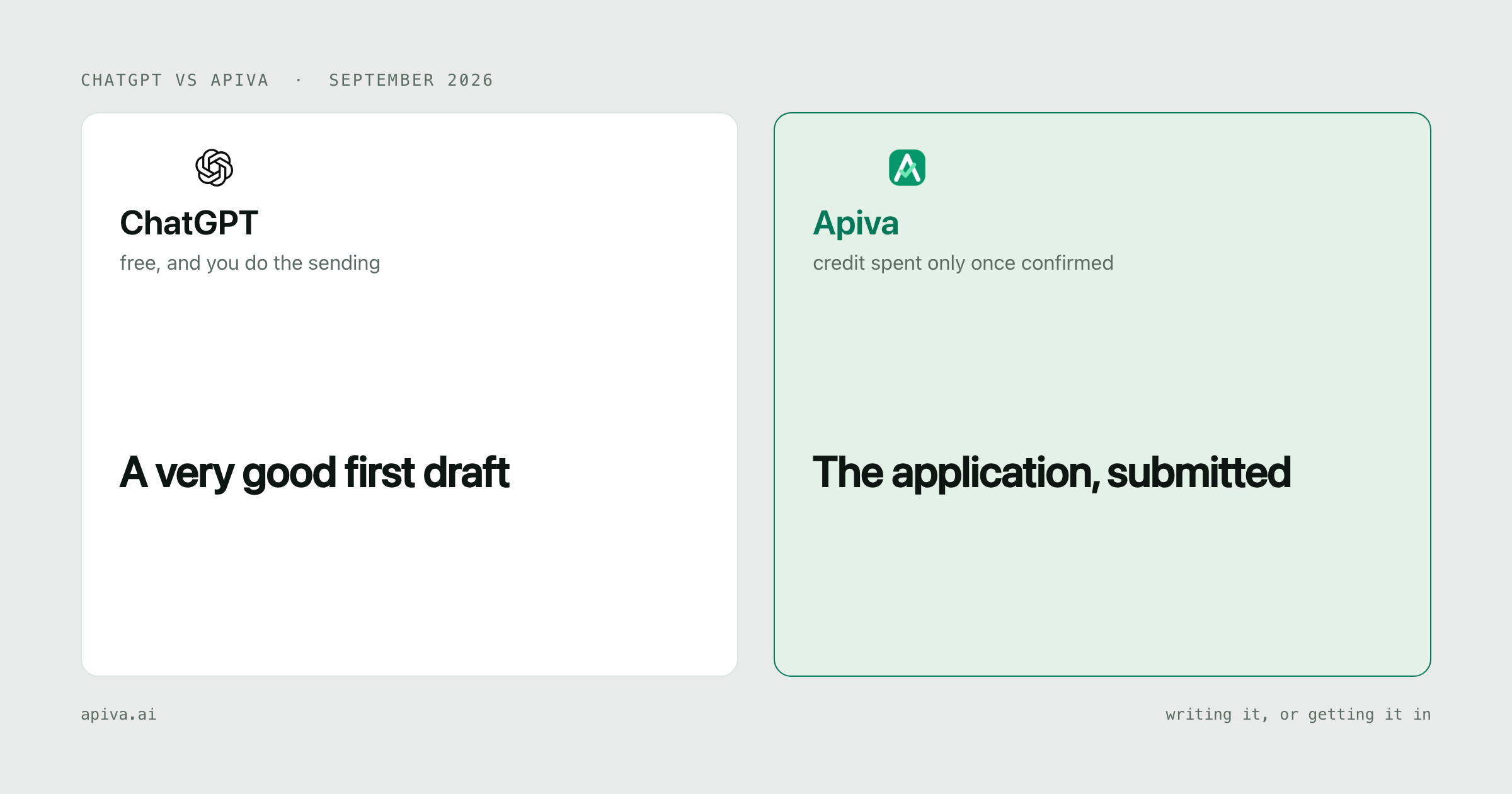
ChatGPT: the best free writing help a job seeker has had. Paste in a posting and your résumé and it reworks your bullets, drafts the cover letter and runs you through interview questions, all on the free plan. On Plus, at $20 a month, its Work mode gets a cloud browser that can fill in web forms. No plan counts applications or tells you one arrived.
Apiva: you approve a job, software fills and submits the application, a person finishes what software should not guess, and the credit is spent only once the submission is confirmed. Free tier of 25 applications a month, no card. Paid from $19.
Need the words right, and happy to send them yourself? ChatGPT, and it costs you nothing.
Want the sending off your plate, with proof each one got there? Us.
What ChatGPT actually is
A general assistant that happens to be very good at the parts of a job search made of words.
That covers more of a search than people admit. Rewriting a bullet so it leads with the result instead of the task. A cover letter that sounds like the company it's going to. The salary email you've been avoiding for two days. A mock interview where it asks the follow-up a real interviewer would ask. It does all of this in seconds and it never gets tired of your fourth draft.
The free plan is a real plan. OpenAI lists unlimited text chats on it, subject to abuse guardrails, with uploads, memory and voice all limited. So paste your résumé in as text instead of attaching the PDF, and you'll hit fewer walls.
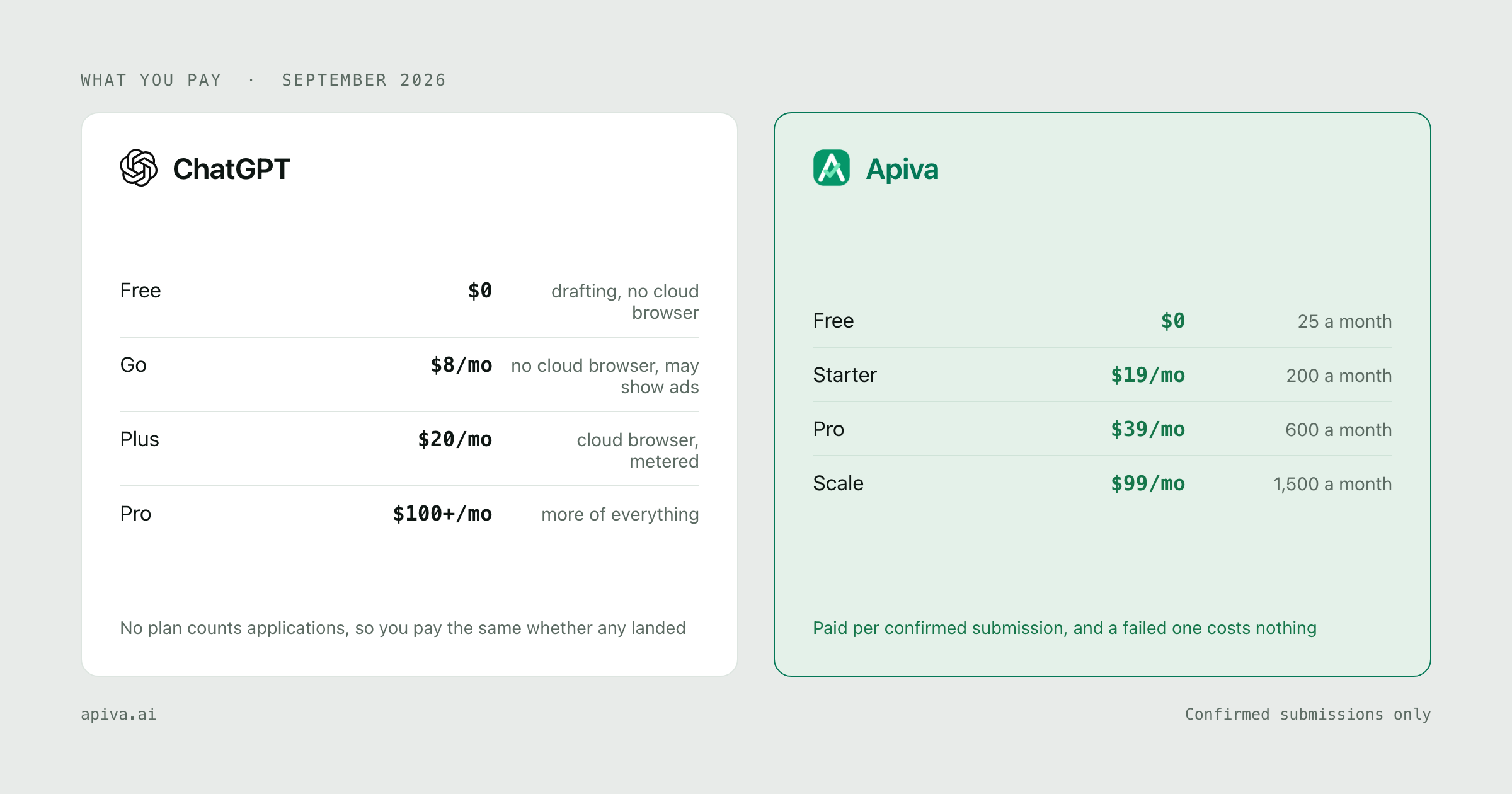
Go is $8 a month for more messages, uploads and memory, and the pricing page says it may include ads. Plus is $20 and adds the advanced reasoning models, expanded deep research and fuller access to Work. Pro starts at $100.
We've written about the document side before, in résumé power verbs. ChatGPT will get you most of the way there if you hand it the job description and push back on anything that sounds inflated. It only knows what you did from what you paste in, so the checking is yours.
ChatGPT for job applications, past the writing
This is where most guides are out of date.
Until this summer ChatGPT had an agent mode. OpenAI's help page for it now opens with one line: "ChatGPT agent is no longer available." The replacement is ChatGPT Work, which OpenAI announced on 9 July 2026, and the part of Work that can run an application form without you at the keyboard is its cloud browser.
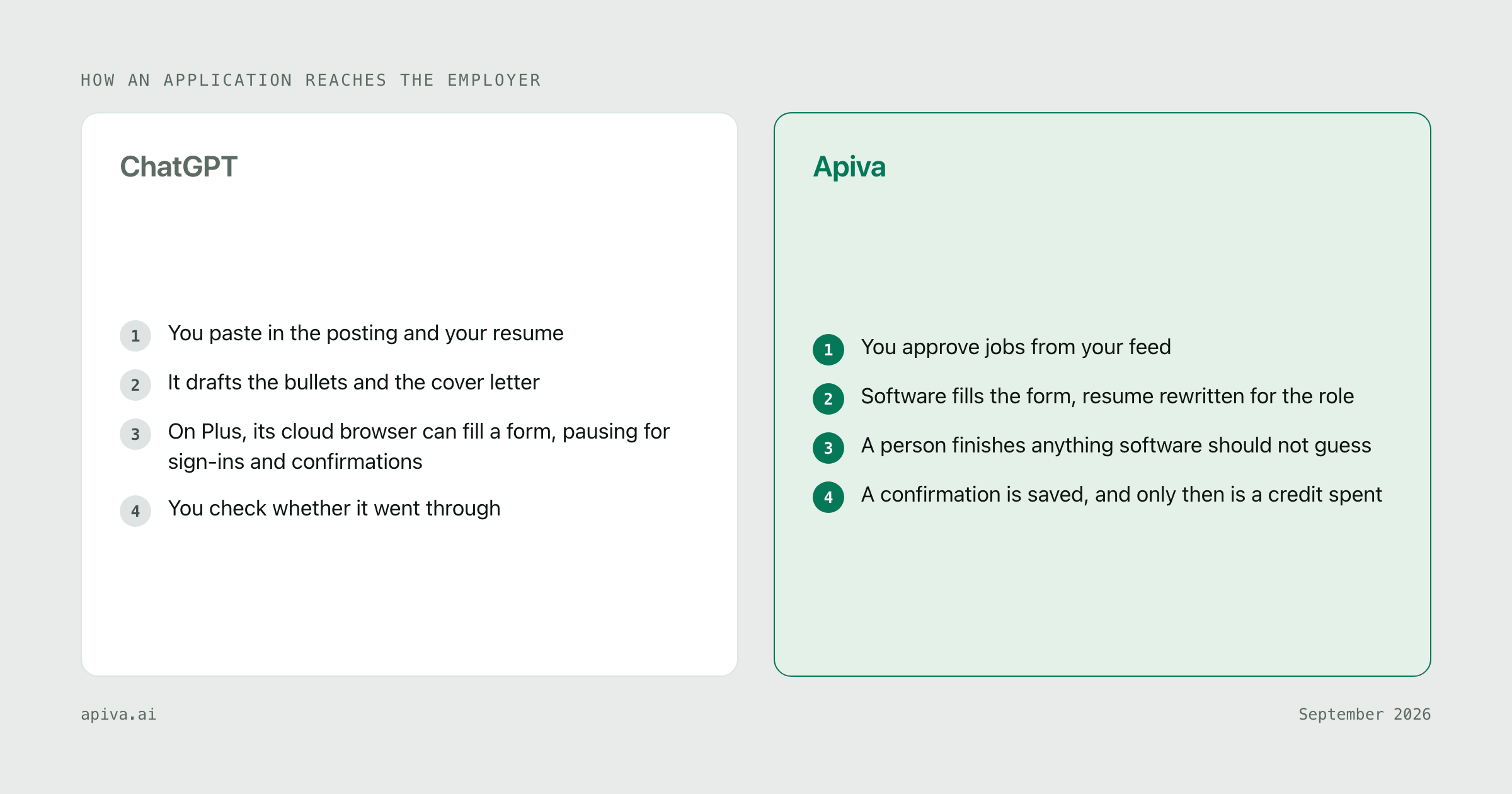
OpenAI describes it plainly. A browser on a separate computer that can read pages, click buttons and enter information into forms. Not available on Free or Go. It pauses when it needs your input, a sign-in or a confirmation, and it asks before actions that could "create a financial, legal, account, or other real-world commitment." It keeps its own logins, apart from your browser, so every employer portal you already have an account with is one you sign in to again.
The FAQ at the bottom of that page asks whether it can finish every task or transaction. The answer is "No." Some sites block automated browsers, and "you may need to take over or complete the final step yourself."
The desktop app is a separate case. OpenAI's pricing page gives even Free and Go a built-in browser there, plus limited Work access, and the launch post says that browser can "take steps across web pages" while you review and guide it. We couldn't tell from OpenAI's pages how far that gets on a free plan, so we won't guess.
So can ChatGPT apply for you? For one application, on a form that doesn't block it, with you around for the sign-in and the confirm step, OpenAI's own description says it can get a long way. We haven't tested whether it treats a submit button as a commitment worth asking you about. We'd guess it does. We'd want it to.
What it isn't is a pipeline. Each application is a task you start and watch. The reviewer at AI Productivity Coach, who ran Work on their own accounts in July, reported two things worth knowing before you point it at 200 postings: "Sign-ins and CAPTCHAs will stop a cloud task outright," and "It can also report a task as finished when part of it isn't."
That second quote is the job-search problem in one line. A form that throws a validation error on page three looks, from where you're sitting, exactly like one that went through, until somebody opens the employer's portal and checks.
It's metered, too. OpenAI's help center says Work "follows the same usage structure as Codex," so a long, fiddly form uses more of your allowance than a chat does, and nothing in any plan is sized in applications.
We made a similar argument about autofill in Teal vs Apiva and about résumé builders in Rezi vs Apiva. ChatGPT is further along than both, because its browser can actually press the buttons. The gap that's left is the same one. Nothing in it is built around the question of whether this application landed.
What Apiva actually is
What we sell is the applied-and-confirmed application.
You approve jobs from a feed built from a corpus of 50,000+ US company career pages, rescanned on a daily cycle. Or you paste any US job link you found yourself, and where software can't finish that form, a person does. Software fills the application in with your résumé rewritten for that role, and you can review what changed before it goes. Anything the résumé can't back up gets left out, not made up.
You get one confirmation at the end whichever way it went, and it costs one credit.
The credit is held when you add a job and settled only when the submission is confirmed. If it fails, the credit comes back. That's enforced in our billing database, so we structurally can't charge for an application that didn't land.
Free tier is 25 confirmed applications a month, no card.
Side by side
| ChatGPT | Apiva | |
|---|---|---|
| What you're buying | A general assistant | Applications confirmed submitted |
| Writing help | Excellent, unlimited text chats on Free | Résumé rewritten per role, you can review it |
| Cover letters, interview prep | Yes, and very good | Not our focus |
| Fills application forms | Cloud browser on Plus and up, limited desktop Work below that | Yes, that's the product |
| Who starts each application | You, one task at a time | You approve, it runs |
| When a site blocks automation | You finish it in your own browser | A person finishes it |
| Proof it landed | Whatever you check yourself | Saved confirmation per submission |
| Finding jobs | Search, plus scheduled tasks on paid plans | 50,000+ US career pages, rescanned on a daily cycle |
| Free tier | $0, drafting plus limited desktop Work | 25 confirmed applications a month |
| Paid | $8, $20, from $100 a month | $19, $39, $99 a month |
The money
OpenAI's individual plans, from their pricing page and the cloud browser help article, read September 2026:
| Plan | Price | Cloud browser for forms |
|---|---|---|
| Free | $0 | No |
| Go | $8 a month | No |
| Plus | $20 a month | Yes, metered |
| Pro | from $100 a month | Yes, 5x the usage of Plus |
The help center also carries a banner saying new sign-ups to the $200 version of Pro are paused for now.
So the drafting is free. The cloud browser, the part that keeps working on a form after you close the laptop, starts at $20.
Now try the division. Our Starter plan is $19 for up to 200 confirmed applications, which works out to 9.5 cents per confirmed submission. Plus is $20 for an allowance measured in usage. There's no per-application figure to give you, because OpenAI doesn't publish one and it depends on how long each form runs, how often it stops for a sign-in, and how many it didn't quite finish. You pay $20 whether it gets fifty in or none.
The cost their page can't show is your time. With the cloud browser you are still the one signing in to each portal, approving the confirm step and checking the result. Much less than typing it all out. Still you, per application.
For a lot of people this isn't either-or. If you already pay for Plus for your day job, the writing help is paid for, so use it. Get the bullets right in ChatGPT, then decide who does the sending.
Apiva is $19, $39 or $99 a month for 200, 600 or 1,500 confirmed applications. Credits reset monthly and don't roll over.
Where ChatGPT wins
Price, for the writing. Unlimited text chats on a free plan. Our free tier is 25 applications a month and it won't write your cover letter.
Range. Recruiter emails, negotiation scripts, mock interviews, a read on a company the night before the call. We do one thing. It does all of those, and does them well.
You see every word. Nothing leaves without you reading it. If you apply to eight roles a month and each one matters, that control is worth more than speed.
Nothing new to set up. If it's already in your browser tabs, there's no account to open and no profile to fill in.
Where Apiva wins
It's built to submit. ChatGPT's browser is general purpose, and OpenAI's own FAQ says it can't finish every task. Submitting applications is the only thing we do.
You pay on confirmation. The credit settles when the submission is confirmed. A monthly plan costs the same whether a task finished or only said it did.
Volume without babysitting. 200 applications a month at $19, and you aren't approving a sign-in on each one.
A person when the form fights back. When a site blocks automated browsers, OpenAI's advice is to open the page in your own browser. Here a person finishes it, for the same single credit.
The jobs come to you. Your list is fed from a corpus of 50,000+ US company career pages, rescanned on a daily cycle, instead of a search task you write and keep rerunning.
Bottom line
If your search is a handful of applications you want exactly right, use ChatGPT and don't pay anyone. The free plan will make your résumé and your letters better, and sending ten a week by hand is fine.
If the problem is volume, say 150 postings you'd apply to and evenings enough for 20, the writing was never the bottleneck. That's the part we built for. Software applies, a person finishes what it can't, and a credit is only spent once there's a confirmation. Free tier is 25 applications a month, no card.
Whichever you use, log in to a few employer portals this week and look for the applications you think you sent. Ten minutes, and you'll know how many actually arrived.
Checked September 2026. Spot something outdated or wrong about either service? Tell us and we'll fix it.
ChatGPT and its logo are trademarks of their owner, OpenAI, shown here to identify the product under comparison. We aren't affiliated with them and they haven't endorsed this.